
Find campsites
Find suitable campsites and ask questions

.png)
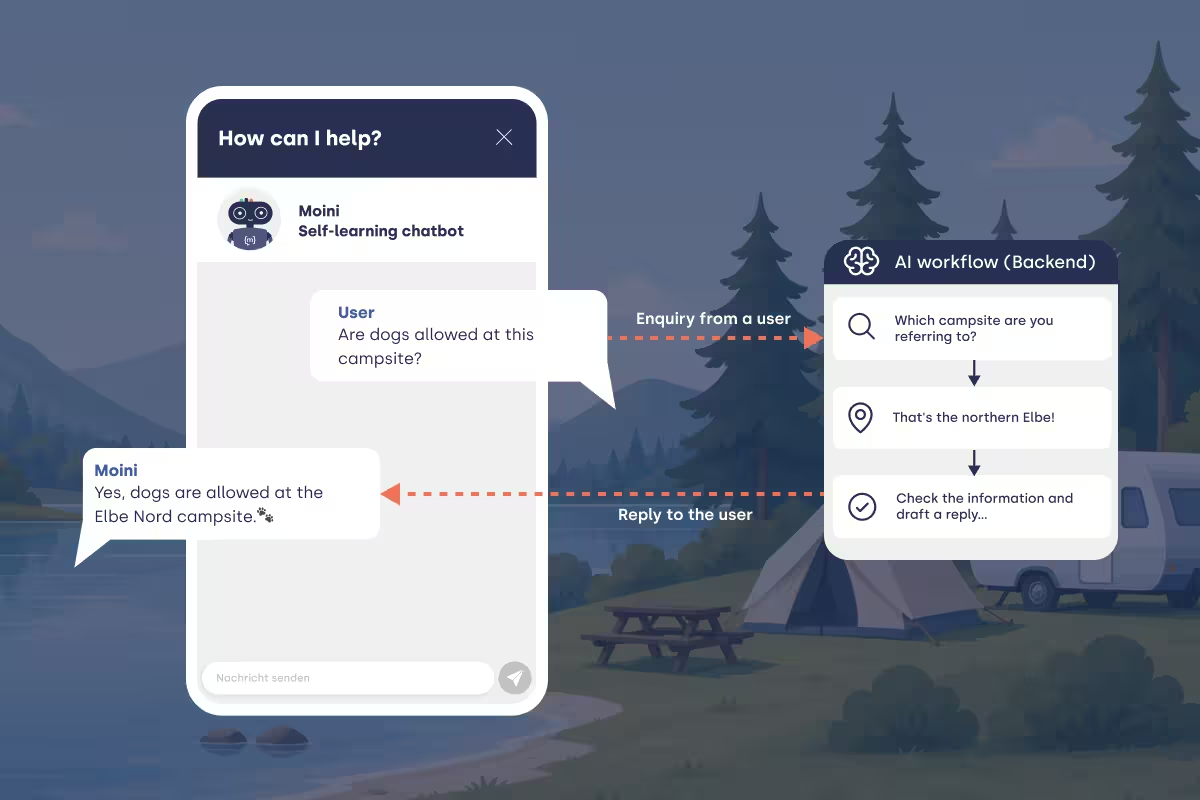
About this workflow
The campsite search is a real-world use case whose principles you can apply to many other scenarios with different criteria, such as searching for a suitable hotel or a hire car. The system uses filters to search for a suitable campsite from a database of campsites. Users can ask follow-up questions to ensure they receive all the information they need about a campsite. The chatbot uses a separate flow to identify which campsite page it is on and can therefore answer queries specifically relating to the current campsite.
How it works:
1. The user submits a query in the chat.
The user is looking for a campsite and sets out their criteria: “Hi, I’m looking for a campsite on the Baltic Sea with a restaurant.” The workflow is automatically triggered.
2. The LLM recognises the criteria and sets filters for the search.
The criteria entered by the user are recognised by the LLM and a list of relevant filters is generated. There are a total of 77 possible filters for the campsite search. These could include, for example: catering, dogs allowed, swimming facilities.
3. Flow accesses the filter list and uses it to make a targeted query to the API.
The filter list is used to find corresponding results.
4. Sliders are generated and displayed.
The results are presented using sliders, allowing users to click through and choose a campsite.
5. The user submits a query.
The query may relate to information already mentioned or ask entirely new questions.
6. The user’s query is answered.
To do this, the system either identifies which campsite page the user is on, or retrieves the most recent results for the query.


Happier customers through faster answers.
See for yourself and create your own chatbot.
Of course, for free and without any obligation.
