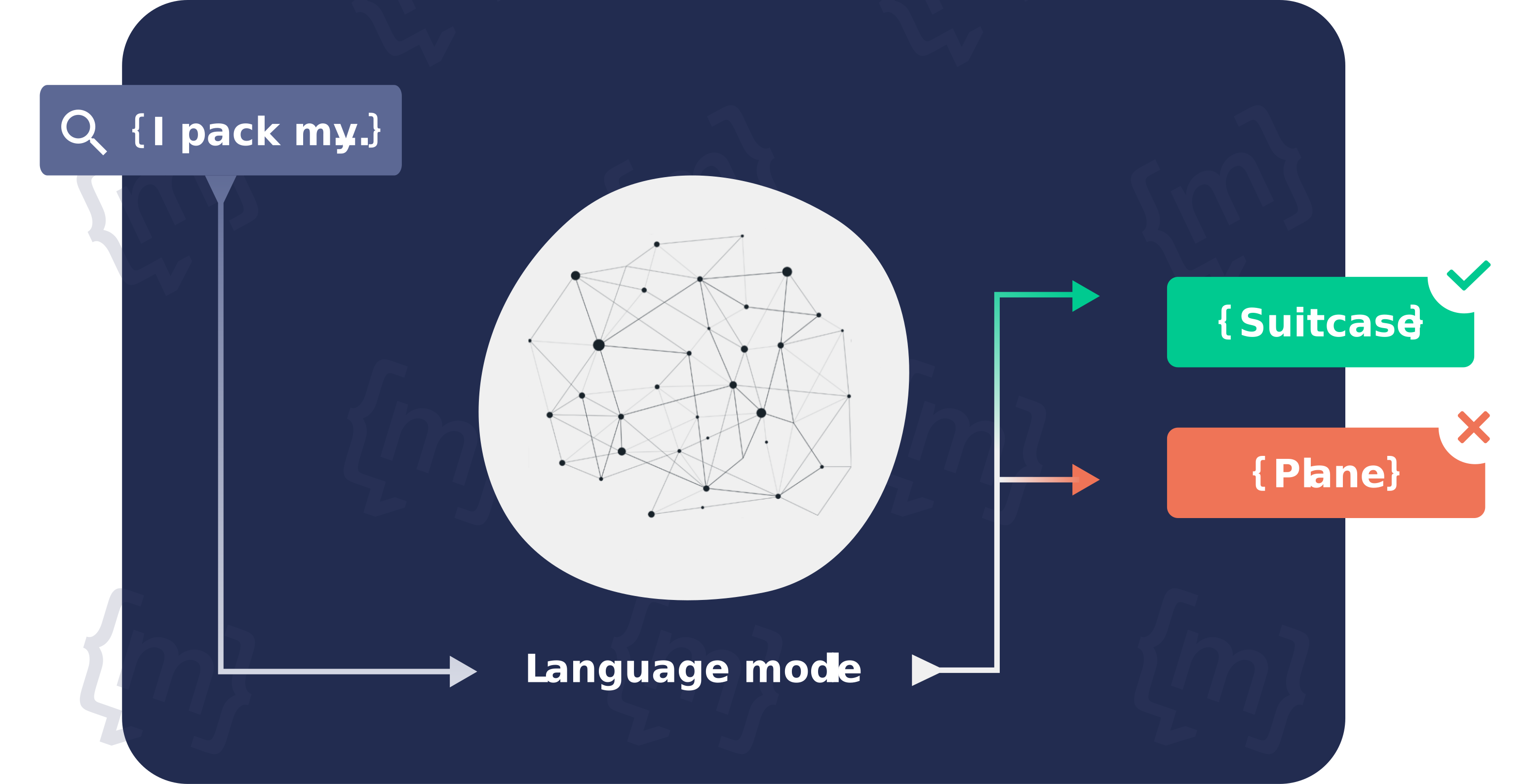


Developing a chatbot, specifically one that is based on artificial intelligence, required a great deal of work in the past. However, thanks to new tools and software, creating a chatbot no longer requires months of work or IT expertise.
The following are the main areas where businesses can use chatbots to communicate with their customers:
- Customer service / Guest Support
- Marketing
- Sales
- HR
This demonstrates how beneficial the use is, especially in marketing and customer service. It goes without saying that a chatbot can be utilized in multiple contexts simultaneously. However, we advise you to choose a use case and concentrate on it before beginning a chatbot. Establishing the objectives that the chatbot is supposed to accomplish first can be beneficial. This leads us to the first point:
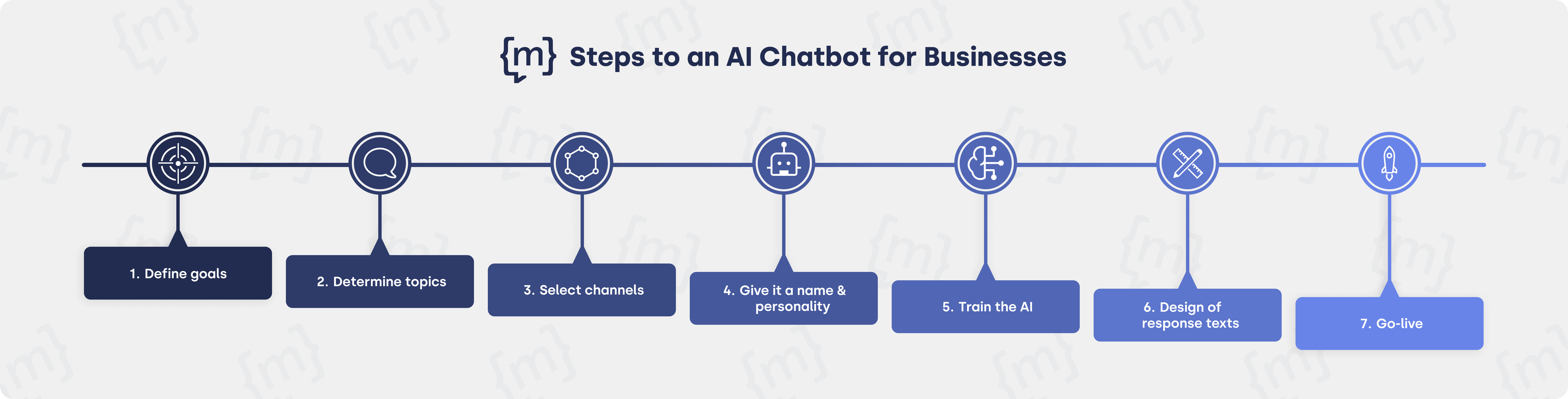
1. Define Goals to Be Achieved With the Chatbot
The central question for narrowing down the objectives is:
What are the biggest pain points? For example:
- A permanently overloaded service team
- Long response times and, as a result, dissatisfied customers
- Many inquiries outside business hours
- A high bounce rate on specific pages or during transactions
- A very low conversion rate on the website
The causes of so-called pain points can be numerous — and while a chatbot is not a cure-all, it is usually an appealing option for preventing or resolving problems thanks to smart automation.
Specific objectives when using a chatbot could therefore be:
- Lower the live chat volume
- Relieve the service team
- Reduce customer waiting time
- Improve the customer experience
- Expanding accessibility
2. Define Topics That the Chatbot Should Work on
A chatbot can only be successful and useful if it understands the topics that users actually want and need. It is therefore elementary to think in a user-centered manner and use a chatbot to cover frequently asked topics or actively assist users in certain processes and transactions.
Rome wasn't built in a day, and a chatbot reflects this. We thus advise beginning with a not too extensive range of subjects. Covering the most crucial subjects first will help you to expand them methodically. This guarantees that the chatbot can expand with consumers and businesses can start developing chatbots rapidly and easily without turning into a sort of "mammoth project."
There are several ways one might decide which subjects the chatbot should start working on first. For many businesses, these are clear-cut issues like the local e-commerce shipping costs or return policies for the areas.
Using our chatbot creation tool is another quick and simple approach to find which subjects the chatbot should first know. This tool assesses automatically which subjects might be pertinent to your business.
[[CTA headline="Create your own chatbot in seconds." subline="Do you already have an idea about how you want to use your chatbot? Try our tool to get help with the conversational design:" button="Create my chatbot" placeholder="z. B. your-website.com" gtm-category="primary" gtm-label="Create my chatbot" gtm-id="chatbot_erstellen"]]
3. Decide on Which Channels the Chatbot Should Be Deployed
A chatbot can be deployed across various channels. These include company-owned apps, messaging services such as WhatsApp, Telegram or Facebook Messenger, and, of course, the company’s own website.
The recommendation is to use the channel that most users have access to, are familiar with and/or can easily access. As a rule, this is the website. For most people, the website is the main point of contact when they have a question or comment about a product or service. It therefore makes sense to integrate a chatbot into the website so that initial questions can be answered without much effort on the user’s part.
However, a chatbot can also be used across multiple channels simultaneously; this means that companies which, for example, operate different websites (due to a wide product range or different languages) or make extensive use of WhatsApp in their customer communications can, of course, deploy it across multiple channels at the same time. Even the content, tone of voice or design of the chatbot can vary – if desired.
Do you already have some initial ideas on how you want to design your chatbot? Here’s a quick guide:
4. Give the Chatbot a Name and Personality
When choosing a chatbot name and the corresponding personality, it is helpful to consider the following three chatbot categories:
- The Avatar: A fictional character. Well suited for marketing campaigns or, if an existing avatar is already in place, e.g. in the form of a mascot.
- The digital assistant: The digital assistant is the most neutral form of chatbot. The term sets clear expectations right from the start.
- The ‘we’ brand: Using the ‘we’ brand in the chatbot is the most formal approach. The company welcomes the user in the chatbot as ‘we’.
In addition to these three categories, there are also three golden rules to follow when choosing a name to ensure a good user experience:
- The chatbot name should fit the brand.
- The chatbot name should be chosen so that users do not mistakenly expect a human.
- The chatbot name should not confuse the target audience.
Further explanations on choosing a name and defining a personality can be found in the article “Find the right chatbot name”.
5. Artificial Intelligence (AI) Training
It sounds complicated, but it usually isn’t. At least with moinAI, as our NLP and AI team takes care of the training here. How AI is trained and who ultimately bears the burden varies from provider to provider.
For instance, some AI chatbot tools require the company using the chatbot to train the AI themselves. This task often falls to already overburdened service staff, who have to ‘feed’ the AI with typical questions alongside their regular work. What is presented as quick and easy actually takes up valuable time in reality.
We believe that, to function effectively, AI must be trained and monitored by experts; that is why, at moinAI, we use the ‘AI as a Service’ approach, which enables companies to utilise complex AI technology without having to worry about training and further developing the AI themselves.
In the case of moinAI, therefore, no time or additional steps need to be set aside to train the AI. With other tools, however, extra time should be factored in for this.
.png)
6. Drafting response texts
ChatGPT is currently demonstrating just how well – or poorly – automatically generated responses can work. ChatGPT should, however, be treated with caution: there are situations in which the AI makes false statements or ‘hallucinates’, i.e. invents content out of thin air without any basis in fact. This must not happen, particularly in corporate customer communications. Not only because false statements can confuse or mislead users – if a user asks for product recommendations, for example, your competitors might also be mentioned. At the same time, ChatGPT always gives different answers to the same questions, which is rather counterproductive when clear communication is required.
Past experience has shown that unpleasant chatbot failures can occur at (large) companies that have used ChatGPT, amongst other tools, in their customer communications. For these reasons, we strongly advise companies to use generative AI within a controlled framework in order to retain editorial control over the content the chatbot delivers.
A best practice here is a combination of generative AI and human oversight. This is what the moinAI Companion offers, for example. The Companion is a smart assistant available within the Hub—the chatbot’s backend—to automatically generate response content. It can draw information from websites, knowledge bases, PDFs, and so on. Based on this information, it generates not just text, but entire response frameworks. Ultimately, it’s important to get creative here: users would rather not read long blocks of text, whether in articles or chat windows. It’s therefore better to work with multimedia. You can incorporate
- Graphics,
- videos,
- gifs,
- link buttons,
- yes/no buttons,
- and slides
into the text, so that users can expect chatbot responses with multimedia elements. Thanks to the smart moinAI companion, this can be done in no time at all. The text and concepts simply need to be approved by a human and can then be published.
7. Launching the Chatbot
Once the objectives and topics have been defined, the responses formulated, the AI trained, the channels selected and the chatbot’s name chosen, all that remains is to go live. This is usually a very straightforward process. For example, moinAI can be integrated using a two-line code, such as via Google Tag Manager. No IT expertise is therefore required.
Keys to Success
Some of the keys to success have already been mentioned in the text. To provide a clearer overview and some practical takeaways, we have summarised them briefly h
- Before going live: Focus on the essentials. The chatbot works particularly well when you start small – that is, by beginning with just a few topics – so that, once it goes live, it can handle the most important points.
- After going live: Continuously expand the chatbot. It is equally important to tailor the chatbot to user needs and constantly add new topics, so as to offer users an ever-increasing range of answers whilst simultaneously gaining an insight into their actual needs.
- Integrate high-quality content into the chatbot: Providing users with engaging responses that offer added value and solutions is a key factor for success. Good chatbot responses ensure positive user reviews and a low human takeover rate, as the chatbot correctly answers the majority of enquiries.
- Think user-centred & always prioritise the customer perspective: Innovative technologies such as chatbots offer a wide range of applications, but it is important to first put yourself in the user’s shoes and ask: ‘What questions does the user want answered?’. The top priority is high customer satisfaction with regard to the responses and interactions with the chatbot.
[[CTA headline="Create a chatbot prototype in 4 steps" subline="Discover the AI potential of your website! Free of charge and without obligation."]]