
.svg)

What is Google Gemini (formerly Bard) capable of?
Like ChatGPT from OpenAI, the leading AI company in the US, Gemini is also a multimodal, agent-capable AI system that can process and generate text, images, audio and video. Gemini takes its former name, Bard, from the English word for ‘poet’ or ‘bard’. Gemini is based on its own large language model. It can answer questions by drawing on an extensive database. This enables it to engage in human-like dialogue and generate its own original texts. Furthermore, Gemini features agentic functions, auto-browse, deep research, multimodal interactions and is fully integrated into Google products.
Gemini 3.6 Flash is the new standard, Gemini 3.1 Pro remains available and offers improved software engineering (SWE) capabilities, agent-based workflows in areas such as finance and spreadsheets, and significantly more efficient reasoning.
The model's top functionalities include:
- Multi-modal processing: Text, images, audio, and video can be processed simultaneously to answer complex, cross-media inquiries.
- Generative content: Create texts, images, videos and audio directly in the model, e.g. for creative projects, summaries or storytelling.
- Agentic automation: Gemini can carry out tasks independently, such as booking appointments or researching.
- Personalized intelligence: Integration with Gmail, Calendar, Keep, Maps and other Google apps enables contextual, individually tailored recommendations for the user and allows automated workflows.
- Deep Research and Scheduled Actions: Gemini supports multi-stage task processing, including for creating structured reports and planned actions such as daily summaries or reminders (“scheduled actions”), which are executed automatically.
Gemini 3: Google's Latest AI Milestone
Until now, Google has followed an annual cycle for major AI updates; for example, Gemini 1 was launched at the end of 2023 and Gemini 2 at the end of 2024. Now, on 18 November 2025, Gemini 3 was rolled out for the first time, specifically the gemini-3-pro-preview. According to Google’s CEO, Sundar Pichai, the model can recognise the context and intent behind queries better than ever before, meaning better outputs are delivered with less prompting effort. The improved Mixture-of-Experts architecture is designed to enable a dynamic selection of experts for specific tasks; in other words, rather than a single neural network handling all tasks on its own, a MoE model comprising several ‘experts’ is available.
Gemini 3 has been available since November in the Gemini app, for developers in AI Studio and Vertex AI, and on the new agent-based development platform Google Antigravity. This allows developers to work at a higher, task-oriented level and use AI support as an active partner. The Gemini 3 Deep Think mode for logical reasoning is also already available to security testers before it is rolled out to all Google AI Ultra subscribers. Advanced creativity features have been introduced with Gemini Canva. Gemini’s leading multilingual capabilities, combined with a 1-million-token context window, allow users to learn as effectively as possible with the help of AI and bring a wide range of ideas to life. In Google’s words:
Gemini 3 helps you learn, create and plan anything.

The latest model version, released in February, Gemini 3.1 Pro, offers significantly improved reasoning capabilities and is available via the Gemini API, Vertex AI, the Gemini app and NotebookLM. The price remains the same as for Gemini 3 Pro. Google has also launched Gemini 3.1 Flash Image Preview (known internally as ‘Nano Banana 2’), an update for highly efficient image generation, optimised for high-volume use cases.
Key Google Gemini updates from 2026:
- Gemini as a personal AI assistant with features such as Deep Research, Scheduled Actions, Gemini Live and the proactive agent Gemini Spark.
- New Gemini models expand the model family for agent-based workflows, coding and cyber security.
- Gemini Omni Flash introduces native video generation and expands the platform’s multimodal capabilities.
- Gemini’s integration with Google products is being further expanded, including Android, Chrome, Gmail, Workspace and Pixel devices.
- Google is expanding its agent platform: with Google Antigravity, developers can create, orchestrate and deploy AI agents productively.
All Gemini updates can be followed on the Google blog.
How Does Google Gemini (Formerly Bard) Work?
The Original Goal of Google Gemini

The original goal of introducing Google's chatbot was to supplement the knowledge graph cards that appear for simple questions. While Knowledge Graph cards can provide definitions of terms, overviews of people, or places, the answers from Bard (now Gemini) were intended for what Google calls NORA questions: questions without a correct answer. The previous launch of the comparable chatbot ChatGPT was certainly not entirely incidental to the introduction of Google Bard (now Gemini).
How Gemini Works
Thanks to an LLM, Google Gemini is capable of understanding both questions and their context, and is designed to be multimodal from the ground up. This enables Gemini to analyse extensive datasets and accurately predict which word comes next and what the user’s next query might be
Gemini 3 introduces the sparse Mixture-of-Experts (MoE) architecture, ensuring that computational resources are efficiently distributed across relevant sub-models. Parameter controls such as thinking_level and media_resolution can also be used to determine the depth of reasoning and the quality of media processing, respectively. Longer conversations and complex analyses are possible thanks to the expanded context windows, i.e. the input and output tokens (up to 1,048,576 input tokens, 65,536 output tokens).
Gemini then draws on information from the Google ecosystem, including apps such as Gmail, Calendar, Keep and Maps, as well as from the internet, to provide personalised responses tailored to the context. The output utilises generative capabilities, including for images and videos. The overarching goal of Gemini and all AI chatbots is to consistently provide high-quality, human-like responses.
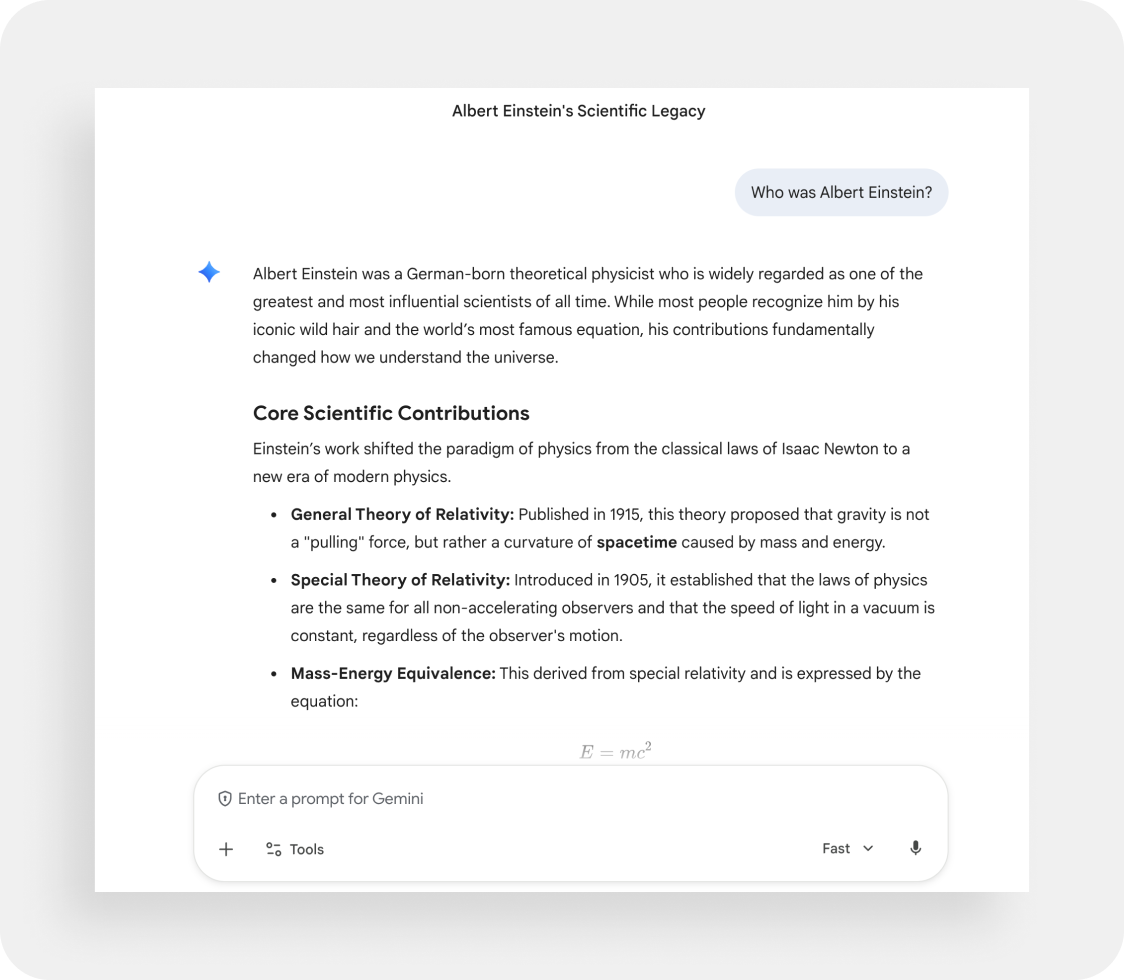
The Google Bard (Gemini) Gemini Update December 2023
Particularly when compared to its rival ChatGPT, the language model Bard – now known as ‘Gemini’ – which was unveiled in December 2023, represents a major step forward. What makes this multimodal AI model special is its architecture: whilst some other AIs, such as ChatGPT, consist of many different models that enable the processing of text, images, audio and code, Google Gemini is holistically multimodal from the ground up and consists of a single system. With such a model, Gemini (formerly Google Bard) can certainly set itself apart from competing AIs like ChatGPT – however, it is not a unique selling point on the market, as there are already other companies with holistically multimodal models.
The Renaming of Bard to Gemini (February 2024)
The chatbot was previously known as Bard, whilst the underlying language model was called LaMDA in 2023. Since February 2024, both the chatbot and AI systems, as well as the language model itself, have been named Gemini. The name alludes to the Latin word for ‘twin’ and symbolises versatility. The renaming was intended to eliminate confusion between the chatbot and the model. Gemini is thus the unified name for the entire platform and its AI models.
If you want to find out more about the model behind the chatbot, you can find detailed information in the article “Google Gemini explained”.
What Is the Score of Google Gemini Usage in Germany?
The free basic version of Google Gemini is available in numerous countries worldwide, including the UK and the US, as well as across the European Union, including Germany. In addition, the chatbot now supports more than 40 different languages, including German. Gemini can understand German queries and, for the most part, respond in German as well. Developers and businesses can use the AI via the Gemini API and platform integrations, as well as Google AI Studio/Vertex AI. The paid version, known as Google AI Pro (formerly Gemini Advanced), was for a long time only available in English, but has been available in German since May 2024. The Gemini mobile app is available for Android via the Google Play Store and for iOS via the Google app. This means Gemini can be used from anywhere. Since early 2026, Gemini has been available in Google Meet; ‘Ask Gemini’ invites users to ask questions, including in German, and offers additional features such as real-time summaries during meetings.
Google Gemini vs. ChatGPT: What Are the Differences?
Even though ChatGPT and Google Gemini appear very similar at first glance, there are still differences:
Both chatbots generally work on the basis of natural language processing, where users make inquiries and the AI generates human-like answers. The main differences between Google Gemini and ChatGPT lie in the sources from which they obtain information, as well as in their capabilities and areas of application.
Google (Gemini) and OpenAI (ChatGPT) solutions are based on different language models. ChatGPT currently uses GPT-5 models, which have been trained on large volumes of text from the web, books, forums, and scientific articles. The optional web search is limited depending on the tariff. With Gemini 3, Google enables real-time web access via Google Search and comprehensive workspace integration. The quality of the answers also differs depending on the area of application: Gemini often provides clearly structured and easy-to-read answers, while ChatGPT impresses with fluent and more creative answers, particularly for creative tasks, such as writing poetry or complex texts. ChatGPT also excels when it comes to coding tasks. In the past, Gemini differed from ChatGPT primarily in providing access to up-to-date Internet information, while the free version of ChatGPT only used data up to 2023.
The conclusion: The GPT models are particularly suitable for comprehensive text analyses, developer workflows and creative brainstorming sessions. Gemini, on the other hand, is ideal for Google Workspace teams and for large multimodal projects and analytics.
How Can I Use Google Gemini in Germany?
Using the Free Tier Version of Gemini
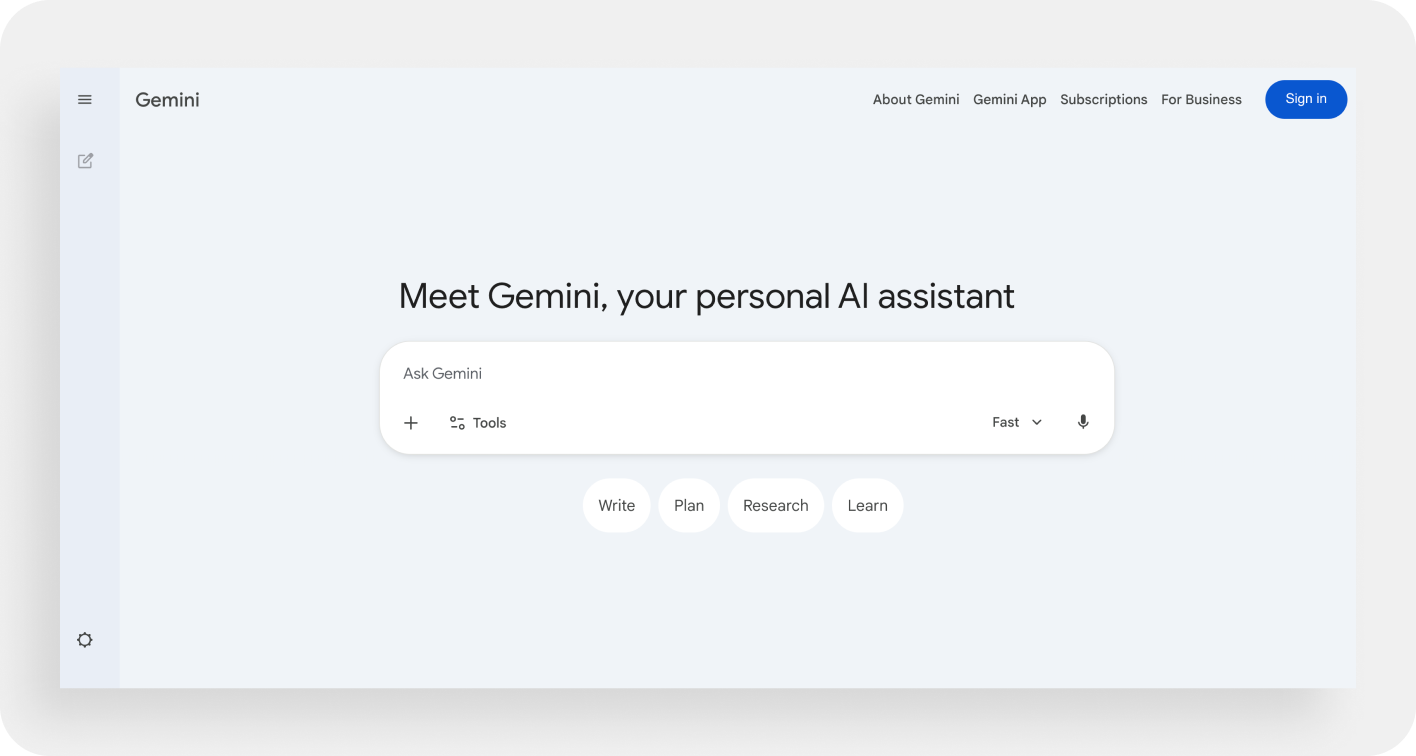
- Go to the URL gemini.google.com
- No login is required to use Google Gemini; a prompt, i.e. an input, can be sent to Gemini directly in the user interface
- The operation is similar to ChatGPT — after entering the so-called “prompt”, you will receive human-like answers based on your request
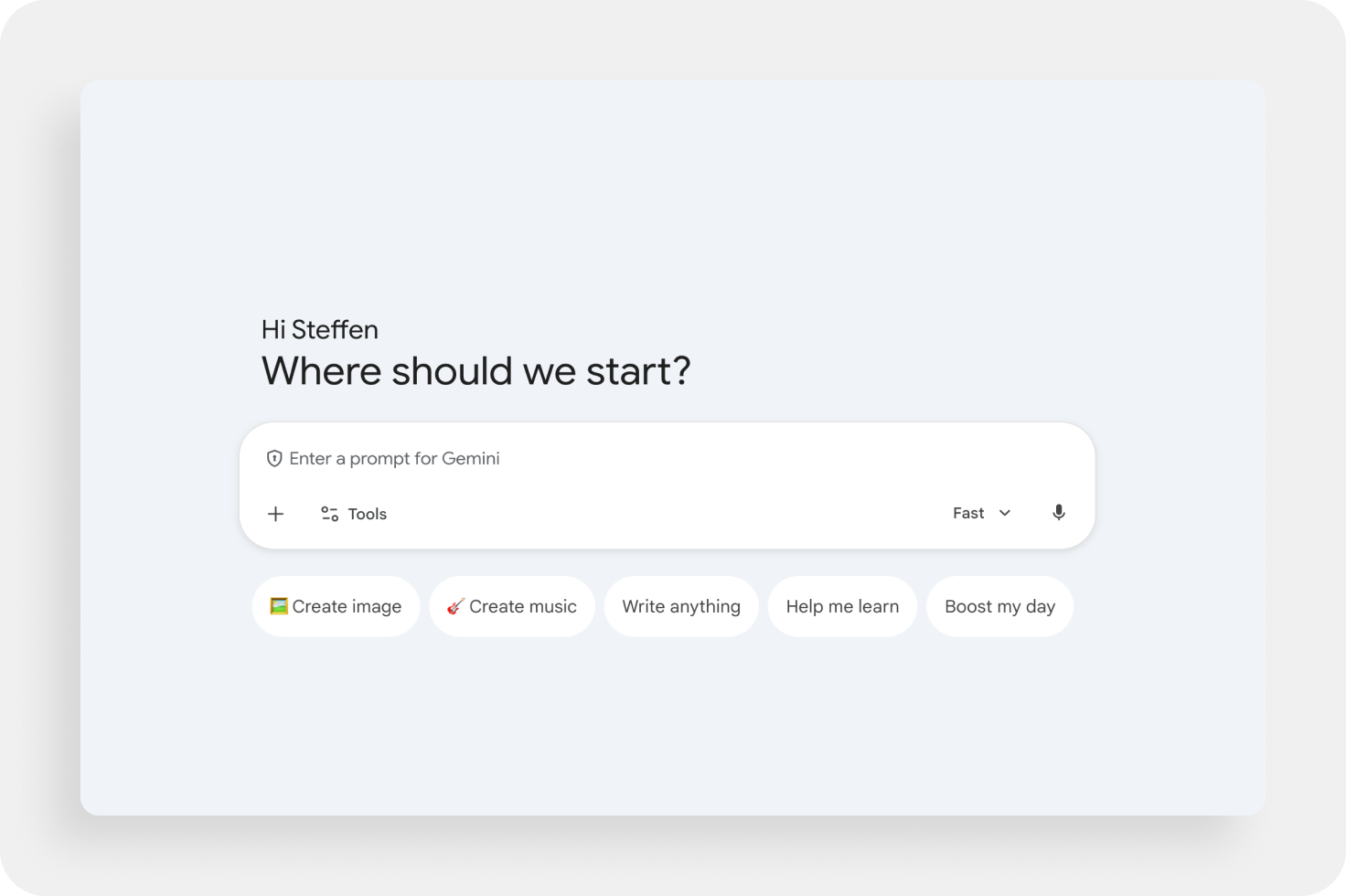
Sign in with a Google account: To get access to more tools and features without wanting to pay anything, all you have to do is sign in with your personal Google account. You can then choose between the options: Deep research, creating videos (Veo 3.1), creating images, canvas and learning aid.
Using the Paid Google AI Pro (Formerly Gemini Advanced) Version of Google Gemini
- Go to the URL gemini.google/subscriptions
- A Google account and a subscription to “Google AI Pro” (formerly Google One AI Premium) are required to use Google AI Pro (formerly Gemini Advanced)
- Click on the “Try it free for 1 month” button to be able to test.
Attention: Users must be over 18 years of age to use.
Expanded access to new and powerful features is available in the paid plans “Google AI Plus”, “Google AI Pro” and “Google AI Ultra” (formerly Gemini Advanced). Users can therefore use the latest Gemini models, and advanced research functions, multimedia generation, including image and video creation, and access to AI tools such as NotebookLM or Whisk are available.
Prices vary regionally, particularly between US dollars and European euro prices. There are also occasional discount promotions, such as lower starting prices for Plus or Pro for students. Here are the rates at a glance:
Official prices and descriptions: Google Gemini subscriptions.
How Does Logging in to Google Gemini Work?
To sign in to Google Gemini, simply follow these steps:
- Open the Google Gemini website in your browser (gemini.google.com).
- Click the “Sign In” button at the bottom left or at the top right.
- Enter the email address or phone number linked to your Google Account.
Is Google Gemini (Formerly Bard) Free?
Google Gemini can therefore generally be used free of charge. All you need is a Google account to sign in and use the basic features. In addition, there are the paid versions described above, which offer access to Gemini 3—currently the most powerful model—with an expanded context window, optimised multimedia generation and additional AI tools.
Anyone wishing to try Google AI Pro can do so for one month; the subscription renews automatically unless cancelled in good time. Students also have the option of using Google AI Pro free of charge until the end of the 2026 academic year.
What Should You Not Share With Google Gemini?
In principle, no personal or confidential information should be shared with Google Gemini. The reason is that Google collects and stores personal data in order to improve the AI. Data such as chat content, locations and device information is saved in the Google account by default to personalize user experiences and improve services, according to Google. However, privacy settings can be adjusted via “Keep Activity”. Using incognito or private mode with browsers prevents local browsing data from being saved, but doesn't change the way Gemini activity is saved to the Google Account. One should be aware of this when using Gemini, so it is advisable to be careful when entering sensitive information.
However, the data protection guidelines are designed in such a way that companies only collect data that users actively provide. Google must also offer opt-out options (e.g. “deactivate Gemini activity”) and may use sensitive data under the GDPR Do not use it indefinitely or covertly. In addition, using the EU AI Acts Transparency, security and responsibility when dealing with AI are better regulated. There are already stricter promises for Workspace, Enterprise and Education customers, for example, AI must not be trained with customer data.
Google Gemini as a Helpful Additional Research Tool
Google Gemini is a versatile AI-powered assistant that is ideal for research, automation, complex work, and exploratory information. This is particularly possible thanks to multimodality and large context windows. Gemini delivers quick results and supports experimental work processes. However, as with all chatbots, Gemini does not always necessarily provide correct or complete answers. It is recommended that you critically review the information provided, particularly when it is used for important decisions or external publications.
Both models, GPT and Gemini, now provide up-to-date information from the Internet, but differ in their integration with platforms and tools: Gemini is deeply integrated with Google Workspace, Chrome and other Google services, while ChatGPT works via plugins and API connections.
Despite the advanced features, Gemini and comparable chatbots are less suitable for professional use in customer communication. It is difficult to fully control the content, and aspects such as GDPR compliance, company policies, or legally relevant requirements cannot be reliably implemented, making manual control or post-processing essential.
[[CTA headline="Try moinAI now and experience the future of customer communication " subline="In just four easy steps, create a chatbot prototype and get a first impression of the technology — without obligation." placeholder="Insert your website URL here!" button="Try it now!"]]
The information in this article is regularly updated to ensure accuracy and truthful content.


